
A decision-focused guide to choosing a recipe organiser app, with quick answers, feature criteria, CookBook fit, watch-outs, and FAQs for saving, searching, planning, and shopping from recipes.
Product evidence
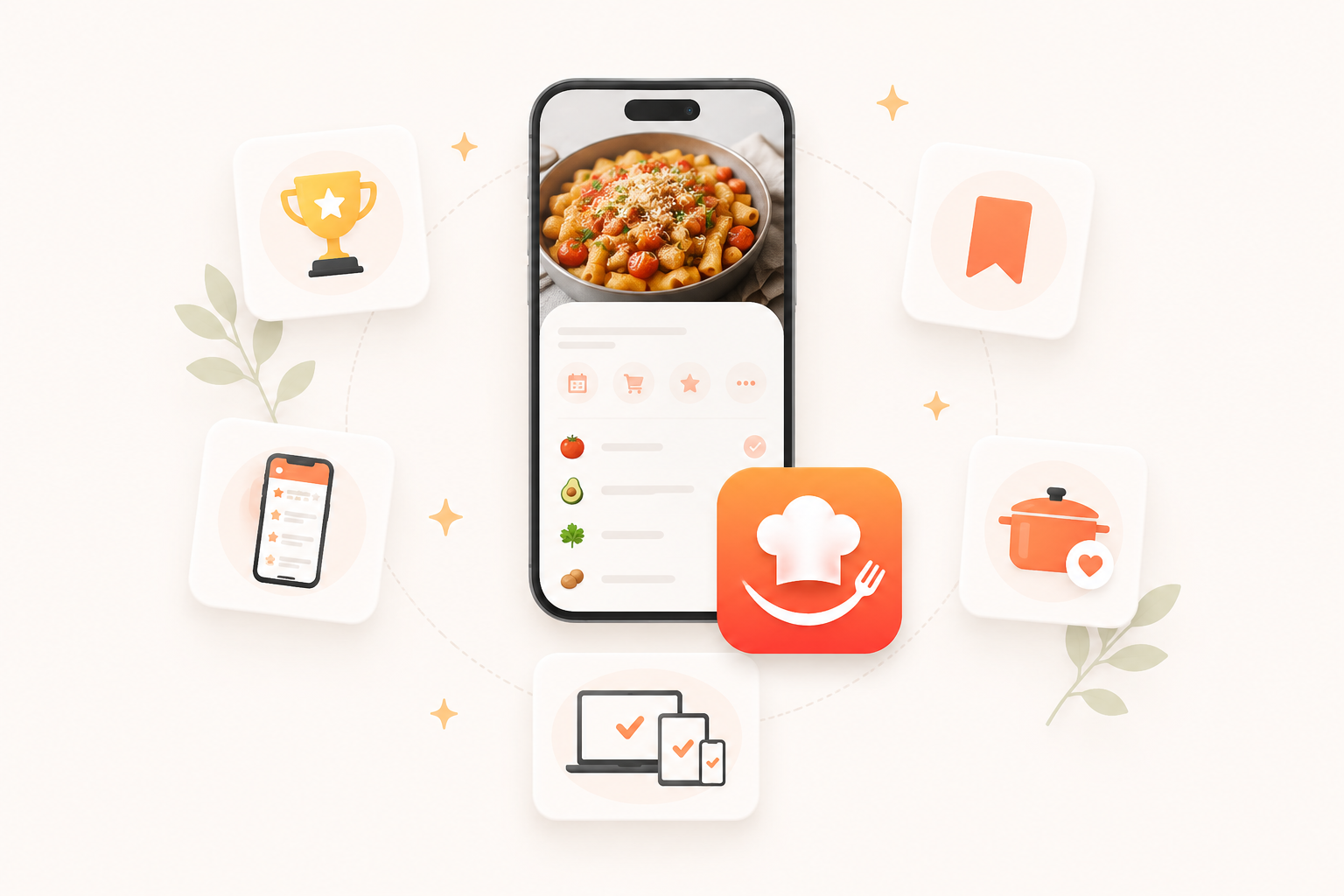
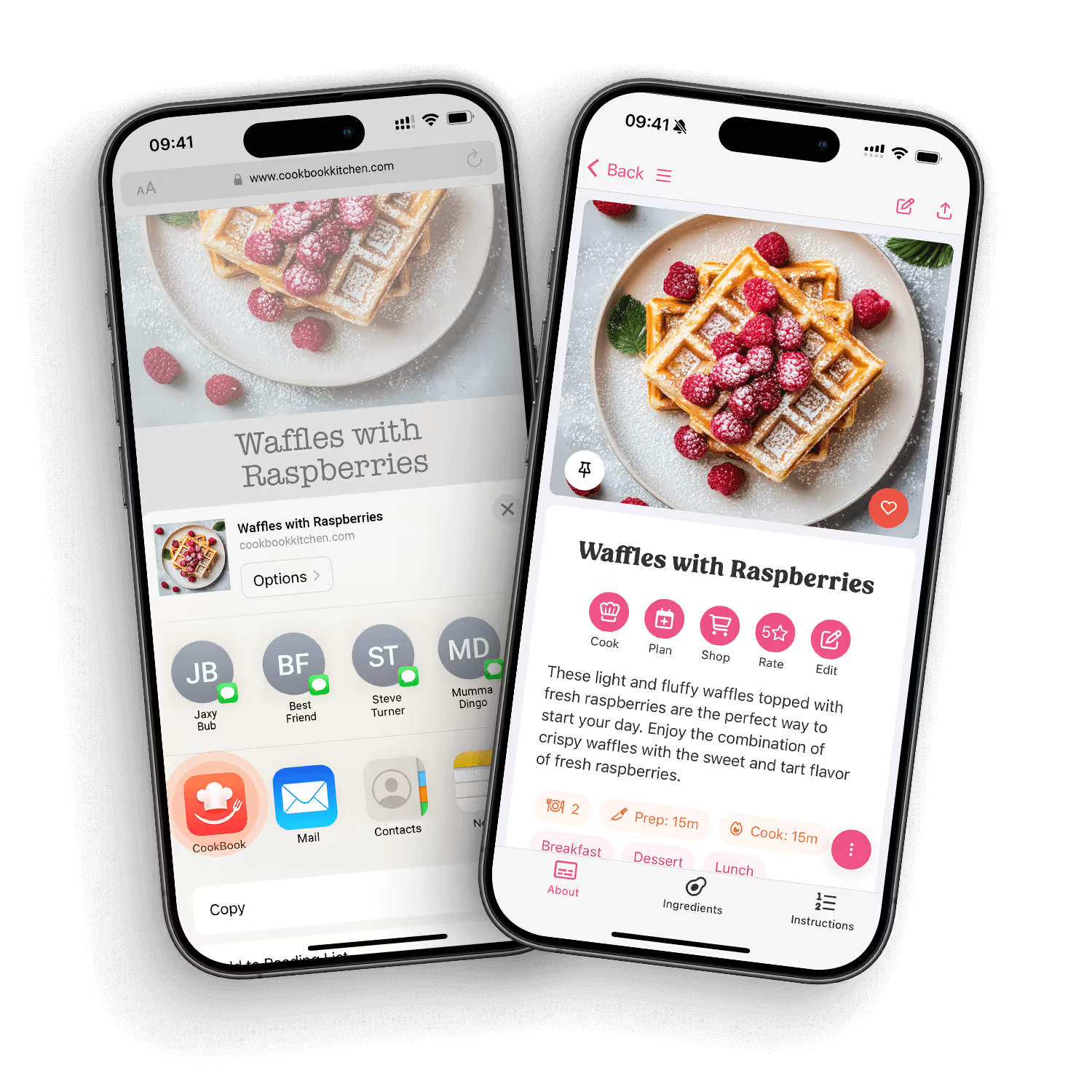
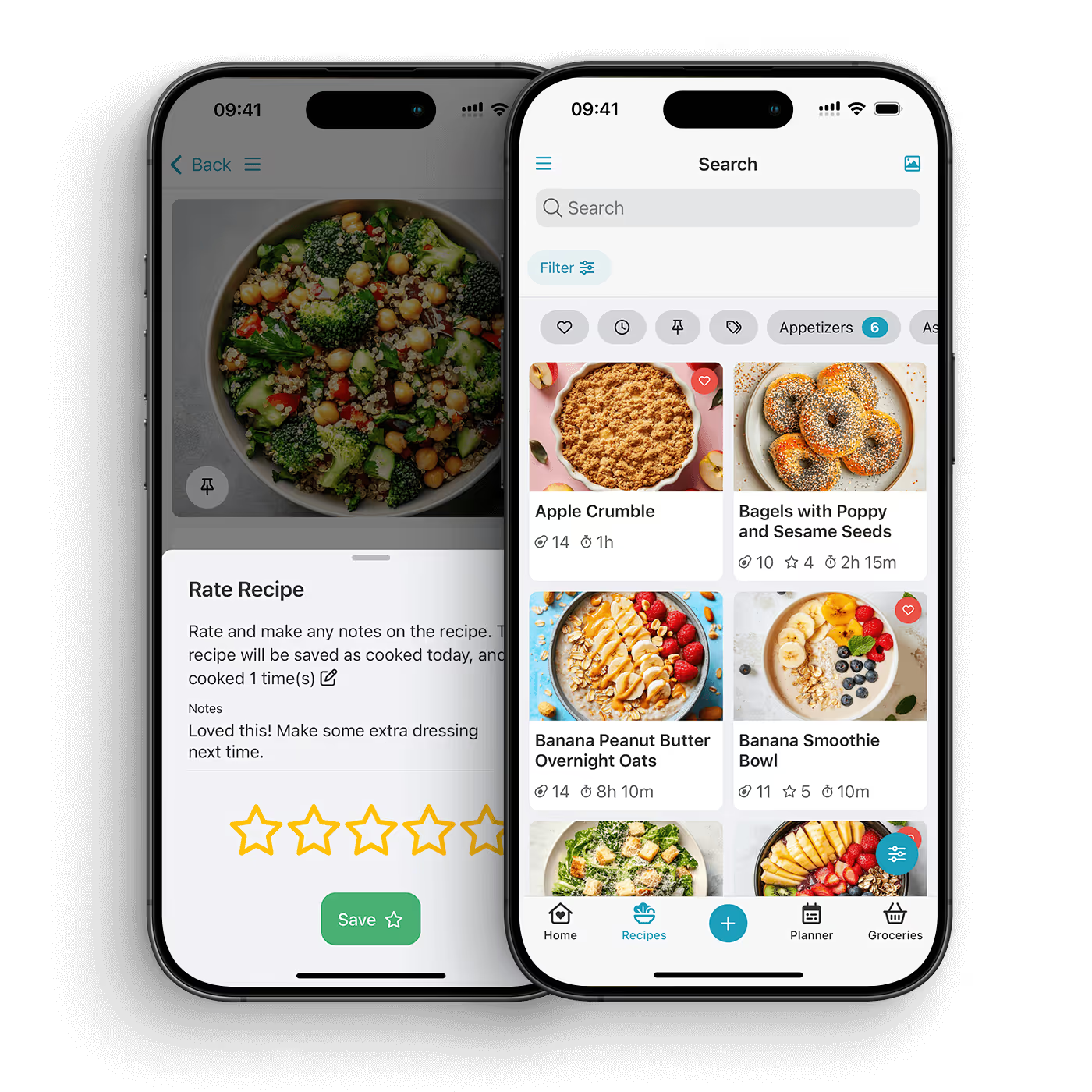
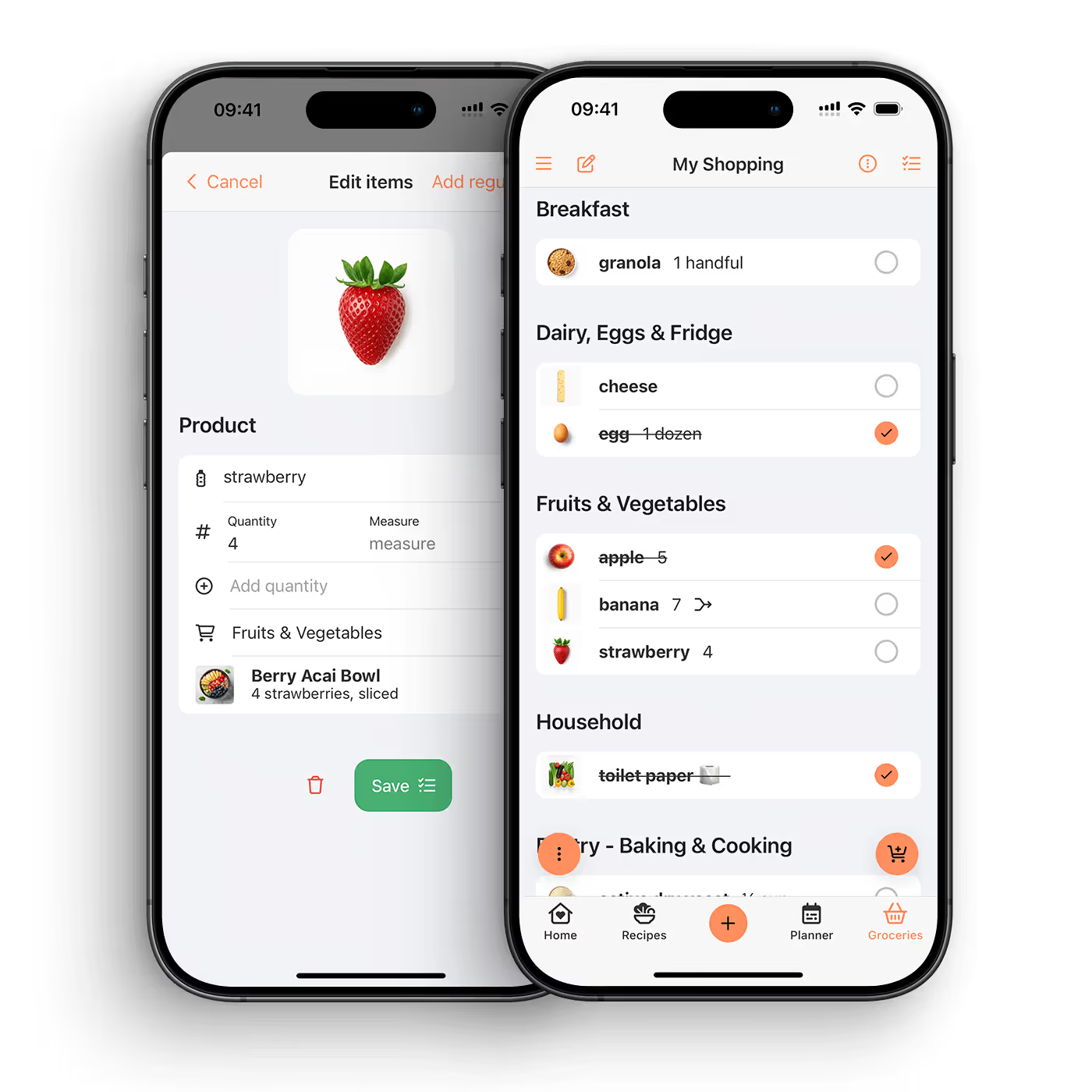
These are real CookBook product screens. They show how an imported recipe moves into an organised collection and then into a practical shopping list.
Last reviewed: June 2026. The best recipe organizer app depends on how you actually collect and cook recipes. If your recipes come from websites, Instagram, TikTok, screenshots, cookbooks, family cards and notes, choose an app that can save from all of those places and turn them into a private, searchable recipe library.
For most home cooks, CookBook is the strongest fit if you want one system for saving, organising, planning, shopping and cooking across iOS, Android and web. It is built for modern recipe chaos: social posts, recipe blogs, photos, handwritten cards, old cookbooks and weeknight meal plans all in one place.
If you only want a classic desktop-style recipe database, Paprika and Recipe Keeper are still worth checking. If you want a grocery-list-first app with recipes attached, AnyList may suit you. If you want a public recipe discovery network, Samsung Food is closer to that model. The right choice comes down to your recipe sources, your weekly planning workflow and how much control you want over your own collection.
A recipe organizer app is more than a place to paste links. The real test is whether it helps you get from "I saved that somewhere" to "I know what I am cooking tonight." The best apps reduce the number of places recipes can hide and make the whole dinner workflow easier.
When comparing recipe keeper apps, look for these jobs:
This is where many thin "best recipe app" lists miss the point. A recipe app is not only a storage tool. It is a cooking system. If the app saves recipes but does not help you find, plan, shop and cook from them, the collection slowly becomes another folder you avoid opening.
Use this as a quick decision guide before the deeper reviews below.
We ranked apps by the practical questions a home cook asks after the first week, not just by how nice the app-store screenshots look.
No single app is right for every cook. A solo cook who mainly clips recipe blogs needs different tools from a family planner who scans old recipe cards, shares lists and shops from a weekly plan. The rankings below are written with those trade-offs in mind.
CookBook is a smart recipe keeper for home cooks who want to save recipes from anywhere, organise them properly, plan meals and shop from one private library. It is strongest when your recipes are scattered across modern sources: Instagram reels, TikTok videos, websites, screenshots, old cookbooks, handwritten cards and notes.
The biggest difference is that CookBook connects the whole workflow. You can import and create recipes, save from social media, scan physical recipes with the AI Recipe Scanner, organise with tags and search, add recipes to the meal planner, then generate a shopping list that merges ingredients and stays synced. You can also use CookBook across iOS, Android and the web app.
Best for: home cooks who want a complete personal recipe system, not just a saved-link folder.
Where CookBook shines:
Watch-outs: If you want a public social recipe network first, Samsung Food may feel more like a discovery platform. If you only want a very basic recipe database and never save from socials or photos, a simpler app may be enough.
Why it ranks first: CookBook is built around the way people actually collect food ideas today. It handles classic recipe keeping, but it also solves modern capture problems: social videos, screenshots, photos, old cards and recipes found while scrolling. That makes it a stronger everyday system for people whose recipe life is already spread across too many places.
Paprika is one of the best-known classic recipe manager apps. It focuses on saving recipes from the web, editing them into your own collection, planning meals and creating grocery lists. It has been around long enough that many serious home cooks already know the name.
Best for: cooks who want a reliable, no-nonsense recipe database with recipe clipping, meal planning and grocery lists.
Where Paprika shines:
Watch-outs: Paprika is not as focused on modern social recipe capture, AI scanning or a broader AI-assisted cooking workflow. Platform pricing and syncing can also require closer checking before you commit, because the buying experience can differ by device.
CookBook comparison: If you mainly clip websites and like classic software, Paprika is still a serious option. If you save from Instagram, TikTok, photos and old cookbooks, CookBook is more aligned with that behaviour. For more detail, see CookBook vs Paprika.
Recipe Keeper is another popular recipe keeper app for people who want to store recipes, import from websites, scan or add recipes manually, plan meals and create shopping lists. It has a straightforward recipe-box feel, which can make it easy for people moving from paper binders or loose documents.
Best for: home cooks who want a familiar recipe storage app with planning and shopping tools included.
Where Recipe Keeper shines:
Watch-outs: It can feel more traditional than modern social-first or AI-assisted recipe tools. If your recipe sources include a lot of reels, social captions, screenshots and handwritten cards, compare the capture workflow carefully.
CookBook comparison: Recipe Keeper is a practical all-rounder. CookBook is the better fit when you want modern imports, AI scanning, deeper organisation, flexible planning and a stronger cross-device workflow in one product. See CookBook vs Recipe Keeper.
Samsung Food is a broad food platform with recipe discovery, saved recipes, planning, lists and community features. It is useful if you want inspiration and social discovery built into the same place as your saved recipes.
Best for: cooks who want a mix of recipe ideas, communities, saved recipes, meal planning and shopping lists.
Where Samsung Food shines:
Watch-outs: A discovery-first platform is not the same as a private personal cookbook. If your main need is preserving your own recipes, scanning family cards, building a private library and organising at scale, make sure the social/discovery layer does not get in the way.
CookBook comparison: Samsung Food is stronger as a recipe discovery ecosystem. CookBook is stronger as a private recipe keeper and planner for your own collection. See CookBook vs Samsung Food.
ReciMe is built around saving recipes from social platforms and creators. If your main pain is that recipes live in Instagram, TikTok and other social saves, it is a relevant option to compare.
Best for: people whose recipe collection starts with creator videos and social posts.
Where ReciMe shines:
Watch-outs: Social saving is only one part of the cooking workflow. If you also care about scanning cookbooks and family cards, deep search, meal planning, grocery lists, web access and long-term organisation, compare the full system rather than the import feature alone.
CookBook comparison: ReciMe is a strong social-saver candidate. CookBook is broader: social import plus photos, cookbooks, handwritten cards, meal planning, shopping lists and web access. See CookBook vs ReciMe.
RecipeBox is a straightforward recipe organizer for saving recipes from the web and keeping them in one place. It suits cooks who want less complexity and do not need a heavy weekly planning system.
Best for: people who mainly want to clip and store recipes without turning the app into a full cooking command centre.
Where RecipeBox shines:
Watch-outs: Simpler tools can become limiting once your collection grows or once you want recipe scanning, meal planning, smart lists and cross-device planning.
AnyList is best known as a shared grocery list app, with recipe and meal planning features that support shopping. If your biggest pain is coordinating lists with a partner or household, it may be a good fit.
Best for: households that care most about shared grocery lists and want recipes connected to that list workflow.
Where AnyList shines:
Watch-outs: If recipe capture, scanning, social imports and a rich personal cookbook are the main goals, a recipe-first app will usually feel more natural.
CookBook comparison: AnyList starts with the list. CookBook starts with the recipe collection and connects it to meal planning and smart shopping lists.
Plan to Eat is built around recipe saving, calendar meal planning and shopping list generation. It is a strong option for people who already think in weekly plans and want a clear planning-first workflow.
Best for: meal planners who want to drag recipes onto a calendar and turn the plan into groceries.
Where Plan to Eat shines:
Watch-outs: If you want modern AI import, social recipe capture, photo scanning and a polished mobile-first recipe keeper, compare carefully before choosing a planning-first product.
Pestle is popular with Apple users who want a clean way to save recipes and cook from them. It leans into a polished recipe reading and guided cooking experience.
Best for: iPhone and iPad users who want a refined app for saving web recipes and cooking from clear steps.
Where Pestle shines:
Watch-outs: If you need Android support, web access or a broader family workflow across mixed devices, make sure Pestle fits your household before moving your full recipe collection.
Mela is a thoughtfully designed recipe manager for people in the Apple ecosystem. It is a good option if you value a clean interface and a personal recipe library with a more curated feel.
Best for: Apple users who want a beautiful personal recipe manager and do not need every platform covered.
Where Mela shines:
Watch-outs: Platform coverage matters. If your household uses Android, web and Apple devices together, a cross-platform app may be a better long-term fit.
OrganizEat focuses on collecting, saving and organising recipes, including recipes from photos and older sources. It is especially relevant if you are moving from paper, photos, clippings and family recipes into a digital collection.
Best for: people digitising recipes from paper, photos and clippings.
Where OrganizEat shines:
Watch-outs: Compare the ongoing planning, shopping, social import and cross-device workflow if you want more than archiving.
BigOven combines a large recipe database with tools for saving recipes, planning meals and creating grocery lists. It is a better match for cooks who want discovery and ideas as part of the product.
Best for: users who want a large recipe inspiration library and basic tools around it.
Where BigOven shines:
Watch-outs: Discovery apps can be useful for inspiration, but they are not always the best place to preserve your own private recipe collection for years.
Choose CookBook if you want social saving to feed into a full recipe system: clean recipe, tags, notes, meal plan and shopping list. ReciMe is also worth comparing if social capture is your main job and you do not need as much around planning, shopping and scanning physical recipes.
Choose CookBook if you want to scan handwritten cards, cookbook pages, magazine clippings and photos into editable recipes, then organise and plan from them. This matters for family recipes because a photo alone is not enough. The recipe should become searchable, editable and usable while cooking.
Choose CookBook if you want meal planning and shopping connected to your recipe library. Choose Plan to Eat if the calendar is the centre of your workflow. Choose AnyList if shared groceries matter more than the recipe collection itself.
Choose CookBook if your collection includes inherited recipe cards, old cookbooks, screenshots, notes, favourite weeknight meals and recipes saved from relatives. The key is long-term organisation: tags, search, notes, ratings, filters and private access across devices.
Choose CookBook, Samsung Food, Recipe Keeper or Plan to Eat if you need web access as part of the workflow. This is important because many people plan meals on a laptop but shop and cook on a phone or tablet.
Use this checklist before committing your recipe library to any app.
Write down where your recipes actually live today. If the list includes TikTok, Instagram, screenshots, old cookbooks, handwritten cards and websites, do not choose an app that only handles web bookmarks well. You will outgrow it quickly.
Import five real recipes: one recipe blog, one Instagram recipe, one TikTok recipe, one photo or screenshot and one manual recipe. A good app should produce ingredients and steps you can edit, not just save a link you still have to decode later.
Small recipe collections can survive on folders. Big collections need search, tags, favourites, filters, ratings, notes and ingredient-based discovery. If you already have hundreds of recipes, organisation is not optional.
Add three dinners to the meal planner, scale at least one recipe and generate a shopping list. This reveals whether the app can support everyday cooking or whether it only feels good during setup.
The best shopping list is not just a list of ingredients. It should merge duplicates, stay editable, sync across devices and make it easy to tick things off without losing the link back to recipes.
Your recipe library may become years of family history. Make sure you understand whether recipes are private, how syncing works and whether the product is designed around your collection rather than a public feed.
Notes, Pinterest, saved folders and browser bookmarks are fine for capturing inspiration. They are weak at turning inspiration into dinner.
The problem is structure. A screenshot does not know its ingredients. A bookmark does not create a grocery list. A Pinterest board does not scale servings. A note full of links does not search by cook time, nutrition, tags or what you already have in the fridge.
A proper recipe manager turns recipes into data you can use. Ingredients become searchable. Steps become readable. Servings can be scaled. Recipes can be planned. Shopping lists can be generated. Old family recipes can be preserved instead of trapped in a camera roll.
If your recipes are already scattered, do not try to clean everything in one weekend. Move in layers.
The best recipe organizer app for most modern home cooks is the one that can save recipes from websites, social media, photos and cookbooks, then organise them into a private library you can plan, shop and cook from. CookBook is a strong choice because it combines recipe import, AI scanning, tags, search, meal planning, shopping lists and cross-platform access.
The best free option depends on how many recipes you need to save. CookBook is free to download and can be used with a limited recipe collection, including 20 recipes and 20 smart imports. If you are comparing free plans, check recipe limits, import limits, sync, ads, platform access and whether the app charges separately on different devices.
Yes. Some modern recipe apps can save from social platforms, but the quality varies. CookBook is built for saving recipes from TikTok, Instagram, websites and other modern sources, then turning them into clean recipes you can edit, tag, plan and cook from.
Some recipe apps can scan recipes from photos. CookBook's AI Recipe Scanner can turn photos of handwritten cards, cookbook pages, clippings and screenshots into editable recipes, which is useful for preserving family recipes and making them searchable.
CookBook, Paprika, Recipe Keeper, Plan to Eat, AnyList, Samsung Food and several other recipe apps include grocery list features. The important difference is how well the list merges ingredients, syncs across devices and connects back to your meal plan.
CookBook is a strong fit for family recipes because it can scan physical recipes, keep recipes private by default, organise them with tags and search, and make them usable in meal plans and shopping lists. A family recipe app should preserve the original memory while making the recipe easy to cook from today.
Yes, if you want to actually cook from the recipes. Pinterest is good for inspiration, but a recipe organizer app can store ingredients, steps, servings, tags, notes, meal plans and shopping lists. It turns a saved idea into something practical.
A binder is simple and familiar, but it is hard to search, scale, back up or use while shopping. A recipe organizer app gives you the same personal collection with search, tags, photos, notes, meal planning and synced access across devices.
Yes. CookBook works across iOS, Android and web, so you can save and organise recipes on one device, plan on another and cook from the device that makes sense in your kitchen.
No. CookBook is designed as a personal recipe keeper, and your recipes are private by default. That makes it different from apps that are mainly public recipe feeds or social discovery platforms.
If your recipes are scattered across social saves, screenshots, websites, cookbooks, family cards and notes, choose a recipe organizer app that can handle the whole mess. The winner is not the app with the longest feature list. It is the app that helps you save recipes quickly, find them later, plan real meals, shop without duplicate chaos and cook with confidence.
For most home cooks who want that complete workflow, CookBook is the best place to start. Save from anywhere, organise your private collection, plan the week and turn recipes into smart shopping lists across iOS, Android and web.
Download CookBook and save your first recipe free.
This guide was reviewed against public product pages and feature pages in June 2026. Product features, platform support and pricing can change, so check the current app pages before making a final decision.


