Save Instagram recipes to CookBook so they are not trapped in saved posts, screenshots or Reels you cannot find later. Import the link, clean up the recipe, add notes, then organise, plan and shop from it.
.webp)
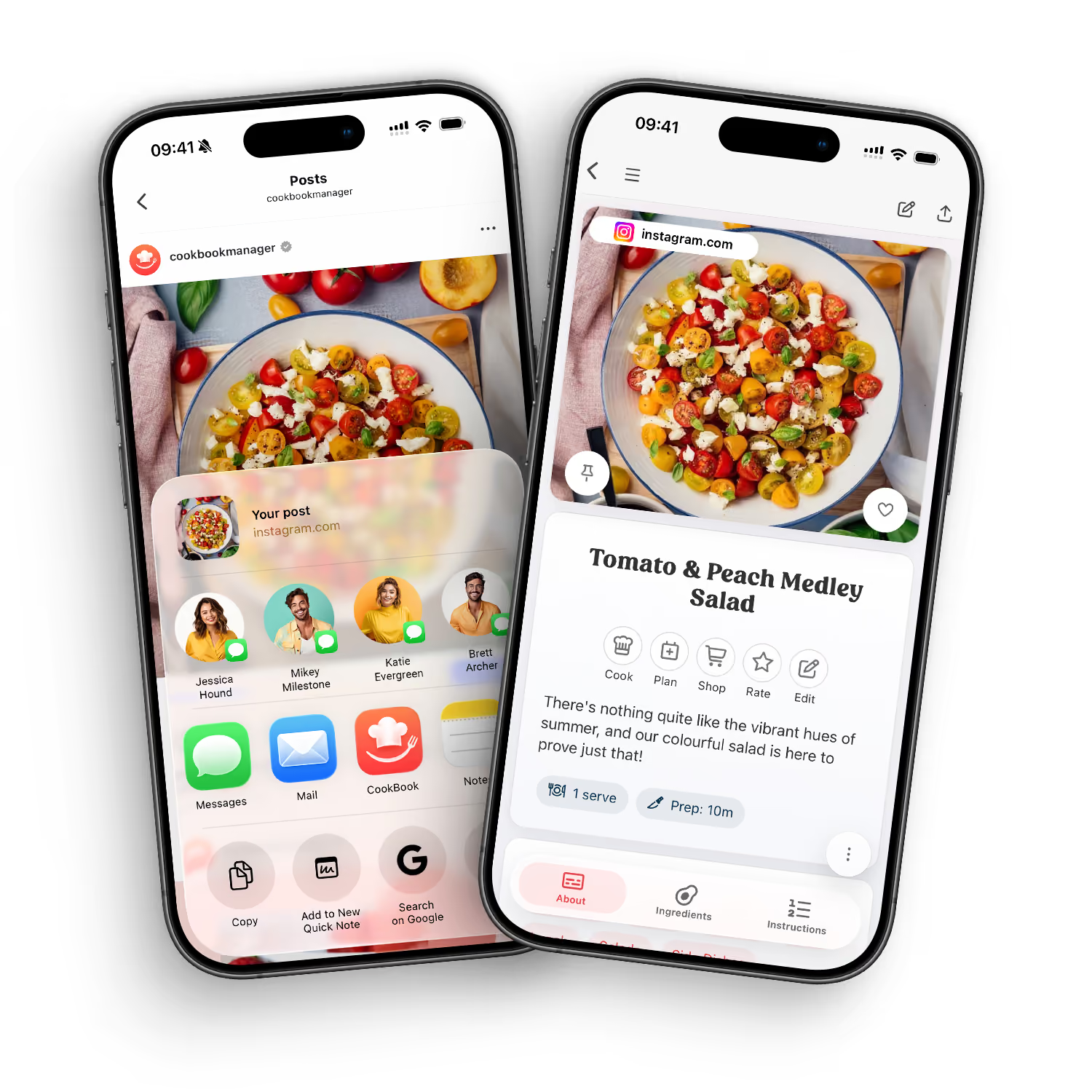
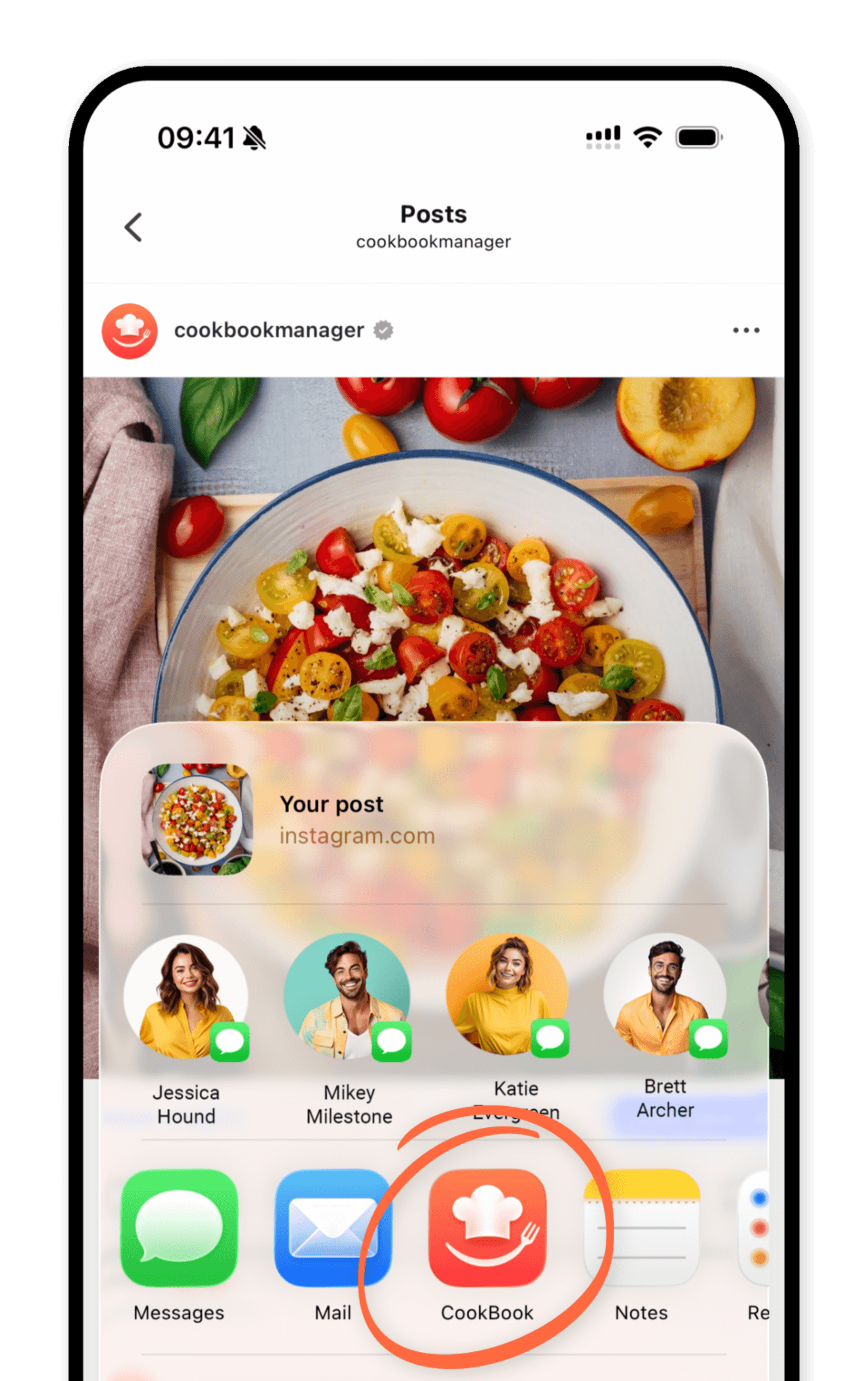
Instagram recipes often live in captions, comments, carousels and Reels. CookBook gives you a practical place to keep the useful parts, review them, and turn them into a recipe card you can cook from.
Share to CookBook. Send recipe posts or links into CookBook from your phone.
Capture details. Bring captions, notes and links into a format you can review.
Edit freely. Fix ingredients, steps, servings and notes after import.
Save the source. Keep context so you know where the recipe came from.
Instagram's save button is not a recipe manager. In CookBook, imported Instagram recipes become searchable by name, ingredient, tag, cuisine or category, and can be added to meal plans and shopping lists.
Tags and favourites. Label social recipes so you can find them again.
Search ingredients. Find recipes by name, ingredient, cuisine or category.
Meal planning. Add imported Instagram recipes to your planner.
Shopping lists. Turn ingredients into a list when you are ready to cook.
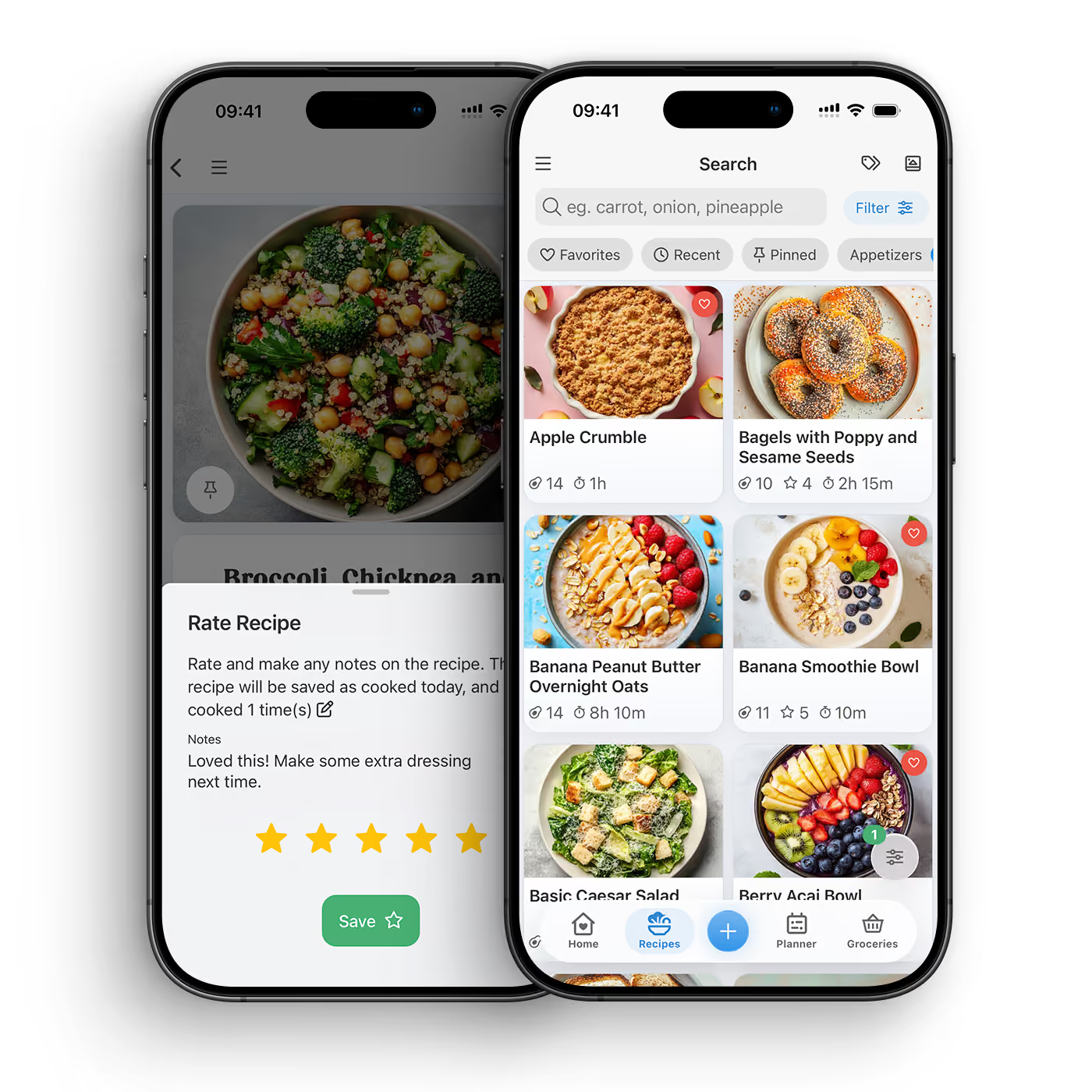
CookBook helps bridge the gap between social inspiration and weekday cooking. Save the post when you see it, then come back to a clean recipe card with your own notes when it is time to make dinner.
DOWNLOAD THE APP


Yes. You can send supported Instagram recipe links into CookBook, then review and save the recipe in your personal recipe library.
Saved posts are easy to forget and hard to search by ingredient. CookBook turns recipe ideas into editable recipe cards with tags, notes, meal planning and shopping lists.
Yes. You can add missing ingredients, rewrite unclear steps, change servings, add your own notes and keep the source link for context.
Yes. CookBook works across supported iOS, Android and web devices, so you can save on mobile, edit on web and cook from a tablet or phone.
Yes. Once an Instagram recipe is saved in CookBook, you can plan it and send its ingredients to a shopping list.
Yes. Keeping the source link helps you return to the original post while still giving you a clean recipe card to cook from.
You can manually add missing ingredients, steps, notes or serving details before saving the recipe, so your CookBook version is complete.
No. CookBook can also save recipes from websites, TikTok, photos, cookbooks, screenshots and recipes you type yourself.